Notice: Function _load_textdomain_just_in_time was called incorrectly. Translation loading for the bb-booster domain was triggered too early. This is usually an indicator for some code in the plugin or theme running too early. Translations should be loaded at the init action or later. Please see Debugging in WordPress for more information. (This message was added in version 6.7.0.) in /home/ae6ifiq8ujpv/public_html/wp-includes/functions.php on line 6260
Setting Up a Preset – All-Sports Soundboard
Deprecated: Function WP_Dependencies->add_data() was called with an argument that is deprecated since version 6.9.0! IE conditional comments are ignored by all supported browsers. in /home/ae6ifiq8ujpv/public_html/wp-includes/functions.php on line 6260

Deprecated: Function WP_Dependencies->add_data() was called with an argument that is deprecated since version 6.9.0! IE conditional comments are ignored by all supported browsers. in /home/ae6ifiq8ujpv/public_html/wp-includes/functions.php on line 6260

Notice: Function WP_Styles::add was called incorrectly. The style with the handle "contact-widgets-contact-block" was enqueued with dependencies that are not registered: . Please see Debugging in WordPress for more information. (This message was added in version 6.9.1.) in /home/ae6ifiq8ujpv/public_html/wp-includes/functions.php on line 6260

Notice: Function WP_Styles::add was called incorrectly. The style with the handle "contact-widgets-social-block" was enqueued with dependencies that are not registered: . Please see Debugging in WordPress for more information. (This message was added in version 6.9.1.) in /home/ae6ifiq8ujpv/public_html/wp-includes/functions.php on line 6260

Setting Up a Preset

1. Using the main menu, select Settings, then Preset Manager
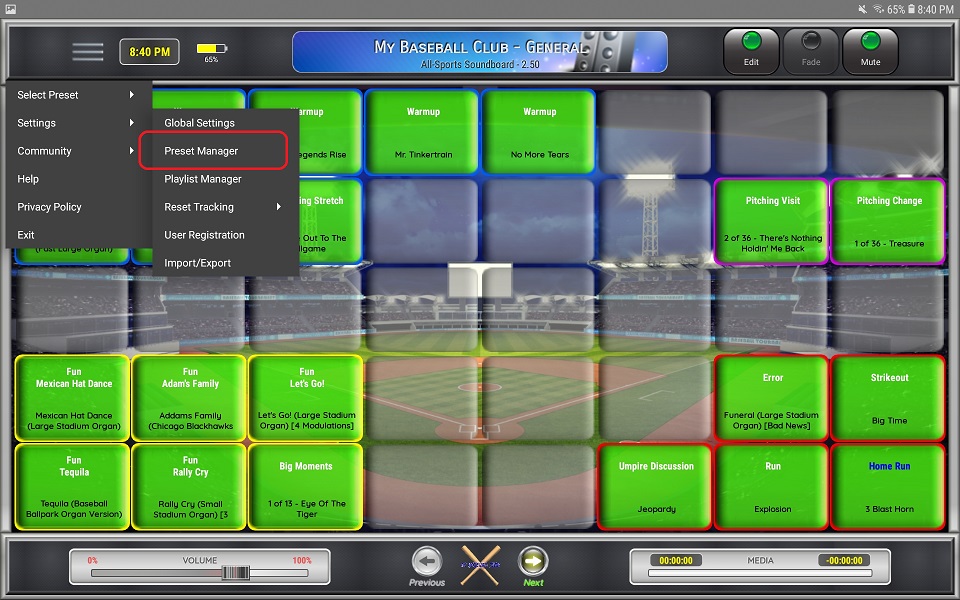
2. Select the preset from the list on the left that you want to configure
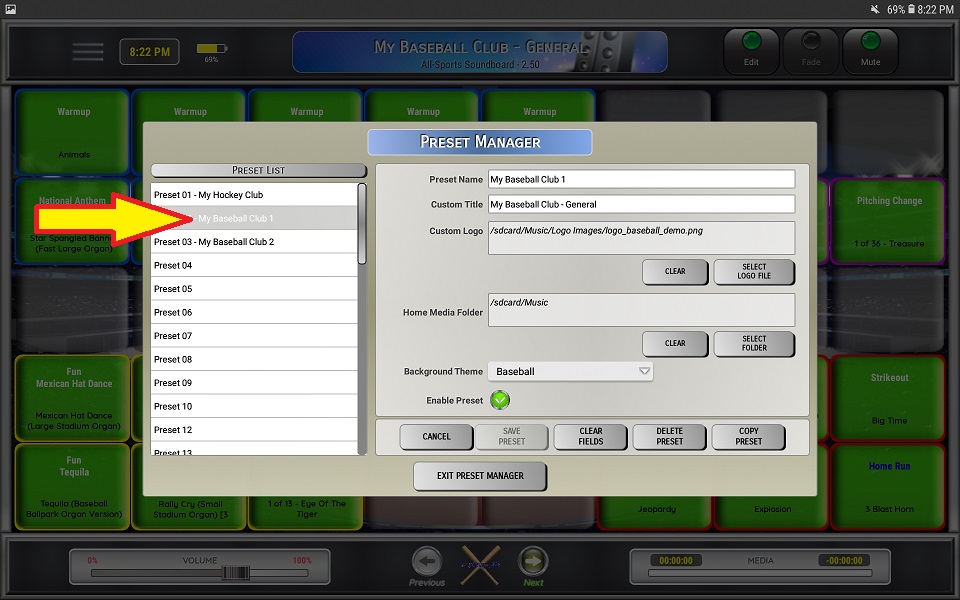
3. Enter a name for the preset

⚬ The name must be unique

4. Enter a title for the preset that will be displayed on the main sceeen

5. Select a custom logo (not required)

⚬ Supports BMP, GIF, JPG and PNG formats

6. Select a home media folder (not required)
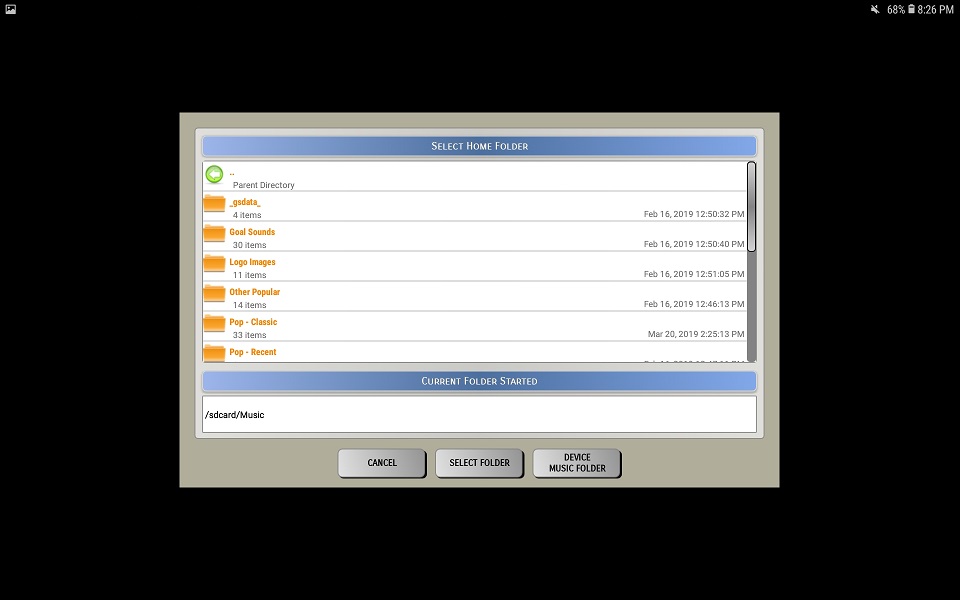
7. Select a background theme

8. Enable or Disable the preset

⚬ If must be enabled to show up the Select Preset menu as well as to be able to switch it

⚬ The first preset is required to be enabled

9. Click Save Preset to save your changes

10. Click Delete Preset to remove the preset and it's associated settings

11. Click Clear Fields to clear all the preset fields and set them to the default settings

12. Click Cancel to cancel changes

13. Click Copy Preset to import settings from another preset

⚬ Copying a preset will copy preset settings as well as all buttons that are stored for that preset

⚬ Select a preset from the drop down menu that you want copy the settings from

⚬ Click Select to continue or Cancel to return to the preset screen

⚬ Enter a new preset name (preset names must be unique)
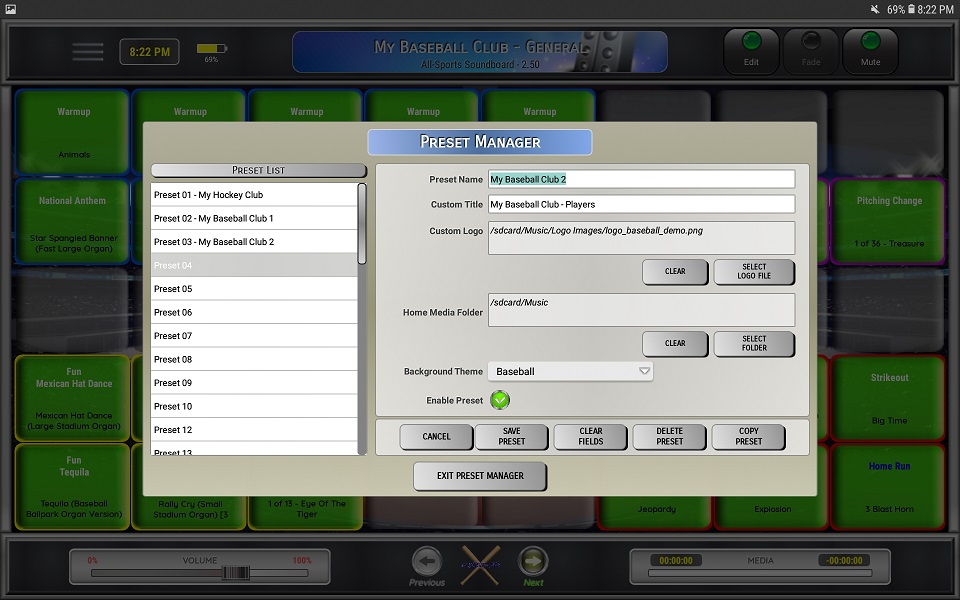
⚬ Click Save Preset to save the changes

14. Click Exit Preset Manager to exit and return to the main screen

⚬ As long as the preset you saved is Enabled, it should now be available from the main screen