Notice: Function _load_textdomain_just_in_time was called incorrectly. Translation loading for the bb-booster domain was triggered too early. This is usually an indicator for some code in the plugin or theme running too early. Translations should be loaded at the init action or later. Please see Debugging in WordPress for more information. (This message was added in version 6.7.0.) in /home/ae6ifiq8ujpv/public_html/wp-includes/functions.php on line 6260
Track Options – All-Sports Soundboard
Deprecated: Function WP_Dependencies->add_data() was called with an argument that is deprecated since version 6.9.0! IE conditional comments are ignored by all supported browsers. in /home/ae6ifiq8ujpv/public_html/wp-includes/functions.php on line 6260

Deprecated: Function WP_Dependencies->add_data() was called with an argument that is deprecated since version 6.9.0! IE conditional comments are ignored by all supported browsers. in /home/ae6ifiq8ujpv/public_html/wp-includes/functions.php on line 6260

Notice: Function WP_Styles::add was called incorrectly. The style with the handle "contact-widgets-contact-block" was enqueued with dependencies that are not registered: . Please see Debugging in WordPress for more information. (This message was added in version 6.9.1.) in /home/ae6ifiq8ujpv/public_html/wp-includes/functions.php on line 6260

Notice: Function WP_Styles::add was called incorrectly. The style with the handle "contact-widgets-social-block" was enqueued with dependencies that are not registered: . Please see Debugging in WordPress for more information. (This message was added in version 6.9.1.) in /home/ae6ifiq8ujpv/public_html/wp-includes/functions.php on line 6260

Track Options

Track Preview
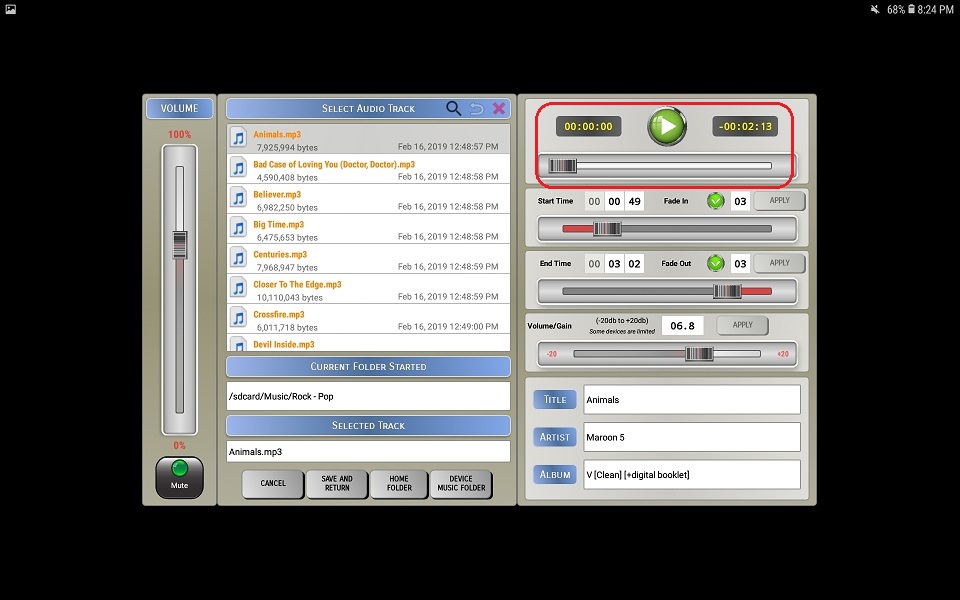
1. Click the button to start the audio and button to stop the audio

2. Use the Preview Progress Bar (top) to move forward or reverse while previewing the audio file

⚬ If a track preview is in-progress and you change the start time, end time, fade-in or fade-out values the track preview will automatically restart


Track Start Options

Start Time
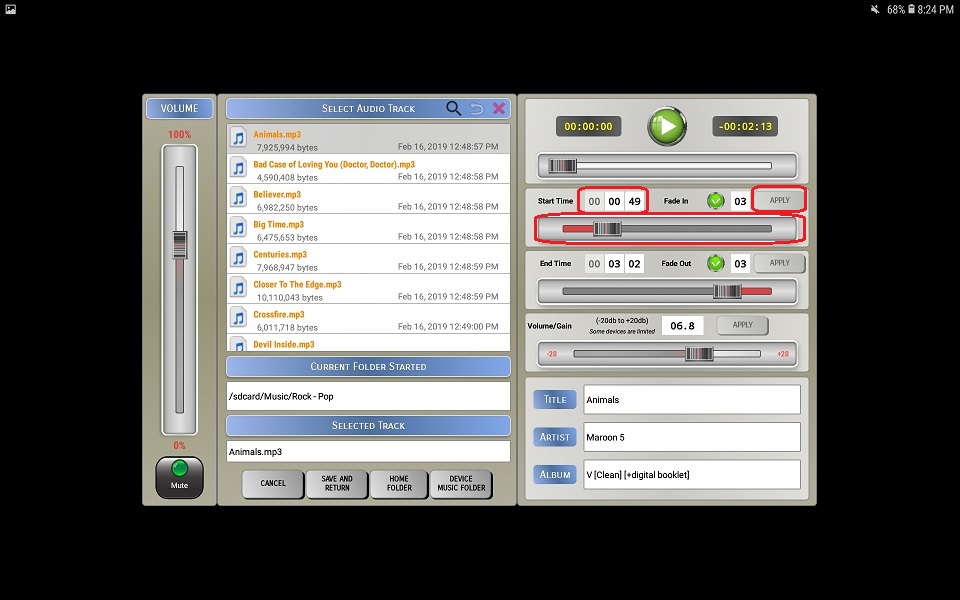
⚬ You can use the start time slider or manually enter the start time. If you enter a start time manually, you will need to click the Apply button for it to take affect.

☆ The start time cannot be past the end time.

Fade In

⚬ Click the Fade In checkbox to enable fading in.

⚬ Enter the fade duration.

☆ Allowed values are 1 to 10.

⚬ Click the Apply button for it to take affect.


Track End Options

End Time
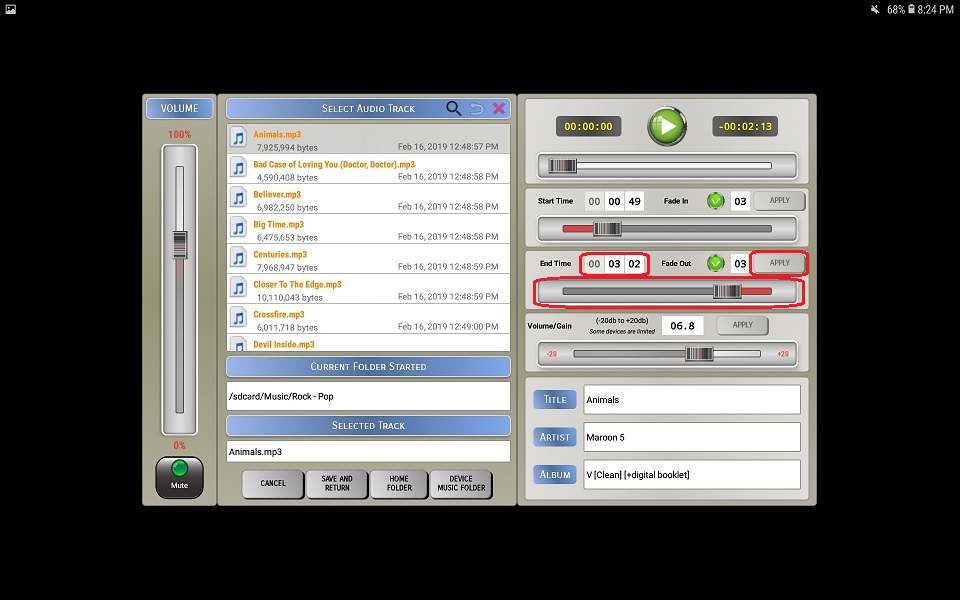
⚬ You can use the end time slider or manually enter the end time. If you enter a end time manually, you will need to click the Apply button for it to take affect.

☆ The end time cannot be before the end time.

Fade Out

⚬ Click the Fade Out checkbox to enable fading out.

⚬ Enter the fade duration.

☆ Allowed values are 1 to 10.

⚬ Click the Apply button for it to take affect.


Volume/Gain

⚬ You can use the volume/gain slider or manually enter the value. If you enter a value manually, you will need to click the Apply button for it to take affect.

☆ The higher the value you set, the higher the risk is for audio distortion to occur.
☆ Allowed values are -20 to 20.